
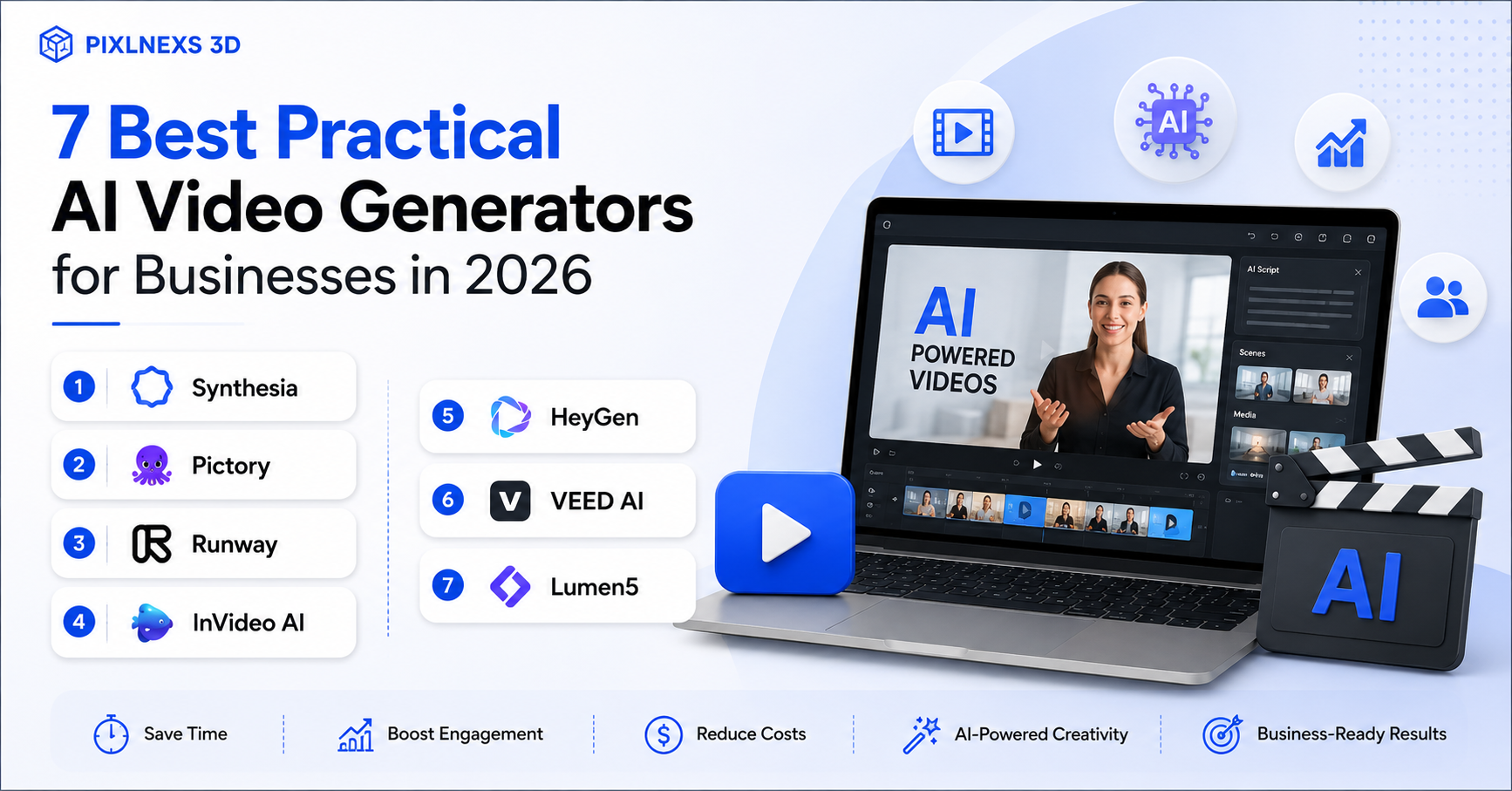
Creating video content in the past meant investing thousands of dollars in cameras, studio rental and even voice talent. It was a very lengthy process. When it came to creating video content and you were a small enterprise, then it simply wasn’t possible.
Nowadays, the story is totally different. Using AI Video Generators you can create videos in a matter of minutes from any text prompt, article or script. If you are looking for some solutions that would allow you to create more videos without spending much money, such tools are a good choice to start with.
Let us find out which one suits your needs the most among the best video making tools available in 2026.
Understanding AI Video Generator Tools
Simply put, these are platforms where you type in a script or a prompt, and the software builds a video for you. They train on massive collections of videos and audio clips to do a few main things. They can turn text into visual scenes, create computer-generated presenters, read scripts aloud with realistic voices, and add automatic subtitles.
This process reduces the amount of manual work needed to create clean, professional video clips.
Different Formats of AI Video Generator
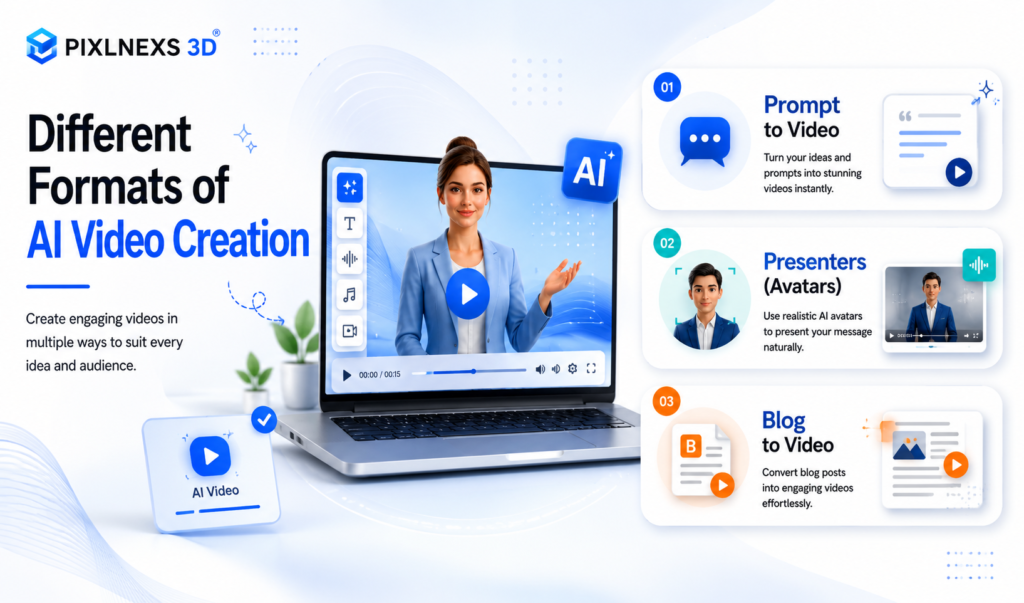
Prompt to Video: You describe a scene in plain English and the software builds a clip based on your prompt.
Presenters (Avatars): These tools use digital talkers to read your script in different languages.
Blog to Video: Great for turning written articles into quick social media clips.
Ad and Marketing Makers: Built specifically to help you whip up social media promotions or quick product clips.
Using these tools helps businesses save time cut down on production fees keep social feeds active and reach international audiences through translation.
Why Businesses Are Using AI Video in 2026
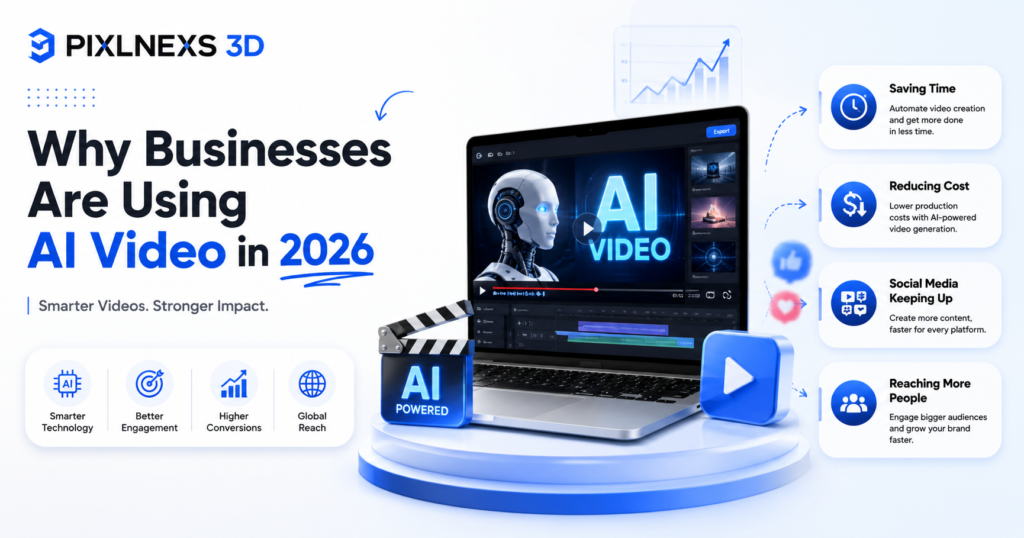
Saving Time
Instead of having to wait several weeks for a production team to shoot and edit, it takes just minutes to produce a finished script. This helps significantly in taking advantage of popular trends.
Reducing Cost
You do not have to spend money to hire actors, rent equipment, or pay high editing rates on all of your clips.
Social Media Keeping Up
Social media platforms like YouTube Instagram and Tiktok need consistency more than anything. With the help of AI technology, you can stay consistent without getting tired out.
Reaching More People
In fact, most of them provide the option of translating your video to tens of languages with one click, which might be useful when selling goods/services in foreign countries.
Features to be Taken into Account When Choosing the Service

When considering using the service, think of whether it provides you with all the necessary features for your work.
Realistic Avatars: The software is expected to include realistic virtual presenters who would let you not use a video of yourself.
Natural Voiceovers: Make sure the synthesized voiceover sounds like human, and not mechanical.
Branding Possibilities: It is crucial that you can customize your video with your company logo, palette, and fonts.
Team Collaboration Tools: If you work with some partners or employees, choose the platform with the possibility of sharing folders and giving feedback to the partner and employee.
High Quality Videos: The platform should allow downloading videos in HD quality (1080p, 4K).The Top 7 Tools on the Market
Synthesia
Synthesia works great for company training and company internal updates. It relies greatly on realistic avatars. When you want to make an avatar speak in front of an audience about any HR manual or training manual, Synthesia is your best bet.
Features: Realistic presenters translation into 140+ languages, screen recording, and customizable avatars.
Pros: The tool is super easy to use and presenters appear very realistic.
Cons: There is not much room left for creativity with videos.
Best for: Training sessions, company internal presentations, and customer support manuals.
Runway
Runway is designed for those looking to explore and try out very creative and abstract images through visuals. The tool utilizes sophisticated AI models to translate the textual input prompt to movie clips.
Features: Video from prompts, intelligent editing features, motion tracking, and background change capabilities.
Pros: It creates great visual effects and provides high flexibility.
Cons: Runway may not be easy to use and may be overly complicated if one needs a simple slideshow.
Best For: Creative agencies, designers and video editors.
Pictory
Pictory has been created specifically for creating videos from the written text. If you have an article on your blog, which is very popular, you just need to copy paste the link, and Pictory will convert it into a video with the help of summarizing, stock videos, and captions.
Features: Blog to video converter, automatic summarization of the text, automatic captioning.
Pros: Great time saver tool for content creators wishing to repurpose their articles.
Cons: Not many options for customization.
Best For: Bloggers content marketers and small business owners.
InVideo AI
Pictory is designed for converting written text to videos. For instance, when you have a famous blog or some article, simply copy and paste the URL or text, and Pictory will automatically extract the main points, add some stock clips, and make a video for you.
Features: Converting blog to video, automatic text summarization, and automated subtitles.
Pros: This app will save you huge amounts of time, especially when you need to reuse your text articles in video form.
Cons: No added custom editing tools.
Best For: Bloggers, content marketers and small businesses.
HeyGen
HeyGen is known for creating amazing avatars and voice cloning. In case you need an avatar in which you will speak in different languages in your very own voice, then this application can easily do so.
Key Features: Custom avatars, voice cloning, and translation.
Pros: The avatars look very lifelike and the translation features are excellent.
Cons: The best features are locked behind their more expensive paid plans.
Best For: Sales teams sending personalized messages, global marketing campaigns, and customer support.
VEED AI
VEED is an online video editing software that has incorporated some intelligent features in its AI model. This allows you to record your screen, create automatic subtitles, and virtual presenters.
Features: Automatic subtitles, virtual presenters, and in-built editing tool.
Pros: An ideal platform that will enable you to conduct basic editing and AI creation in one single window.
Cons: The free package is very minimal, and you will have to pay for an advanced version.
Best For: Bloggers, social media handlers, teachers, and all other creators of videos.
Lumen5
Lumen5 offers a drag-and-drop functionality aimed at making an article into a short story. In essence, Lumen5 is like a smart assistant that creates layout and media options depending on the article’s text.
Features: Automated conversion of blogs to videos customization of brands and drag and drop editor.
Pros: It is straightforward and easy to navigate.
Cons: There is limited control over transitions and frames.
Best For: Marketing teams and online publishers interested in publishing their articles visually.
Quick Comparison Table
| Tool | Best For | AI Avatar | Text-to-Video | Ease of Use |
| Synthesia | Training | Yes | Limited | Simple |
| Runway | Creative Visuals | No | Excellent | Moderate |
| Pictory | Repurposing Text | No | Good | Simple |
| InVideo AI | Quick Social Clips | Limited | Excellent | Simple |
| HeyGen | Personalized Videos | Excellent | Good | Simple |
| VEED AI | Social Media & Subtitles | Yes | Good | Simple |
| Lumen5 | Turning Blogs to Video | No | Good | Simple |
What Works Best for Online Stores?
The use of AI video generators has revolutionized the process of video production. AI allows even small businesses to produce promotional videos, social media content, and simple product videos without having to invest a lot in video production.
But when it comes to e-Commerce brands video production is just one of the problems. The challenge lies in making engaging, trustworthy, and effective videos that will drive conversions.
Here are some issues that a typical AI-generated video may experience:
- Uninspiring and generic visual style
- Limited capacity to tell a product story
- Unclear brand messaging
- No customization to match the target audience
- Time spent on mastering different AI video generator platforms
This is why many eCommerce companies opt for the hybrid approach where they utilize the power of AI in conjunction with the skills and expertise of creative professionals who know about e-Commerce marketing and the specifics of product video.
We at Pixlnexs create custom visuals that go beyond typical AI-generated videos. We know how to match a visual experience to your product and audience in order to drive conversions.
Rather than spending hours testing multiple AI tools, businesses can focus on growth while our specialists handle the creative and technical execution.
Why Businesses Still Work With Professional Video and 3D Content Experts
AI tools can generate videos quickly but they don’t automatically understand your brand, customer journey or conversion goals.
Successful eCommerce content requires:
- Strategic product presentation
- Consistent brand identity
- High-quality visual storytelling
- Platform-specific optimization
- Performance focused creative decisions
Professional teams combine these elements with the latest AI technologies to deliver content that not only looks good but also supports measurable business outcomes.
This is especially important for businesses selling complex, premium, or highly visual products where customer confidence directly impacts purchase decisions.
Final Thoughts
AI video creators in 2026 provide some amazing features, which will make it much easier and faster for you to create your content. AI video creators are great tools for making videos, coming up with ideas, and assisting in marketing processes.
But, if you want to make videos that can actually reflect your brand and help your business grow, it takes more than just generating your content via AI tools.
If you work in a competitive market and want your business to stand out from others, using professional management is usually more beneficial than using any automated software alone.
If you’re looking to create professional product videos, interactive 3D experiences, or conversion focused visual content for your online store, Pixlnexs can help you bring your products to life and create experiences that engage customers and drive sales.
Ready to Elevate Your Product Marketing?
Whether you’re launching a new product, improving your eCommerce store, or exploring AI-powered content solutions, Pixlnexs can help you create visual experiences that make an impact.
Contact Pixlnexs today to discover how professional 3D visualization and video content can help your brand stand out and convert more customers.









Leave a Reply