
Quick Answer
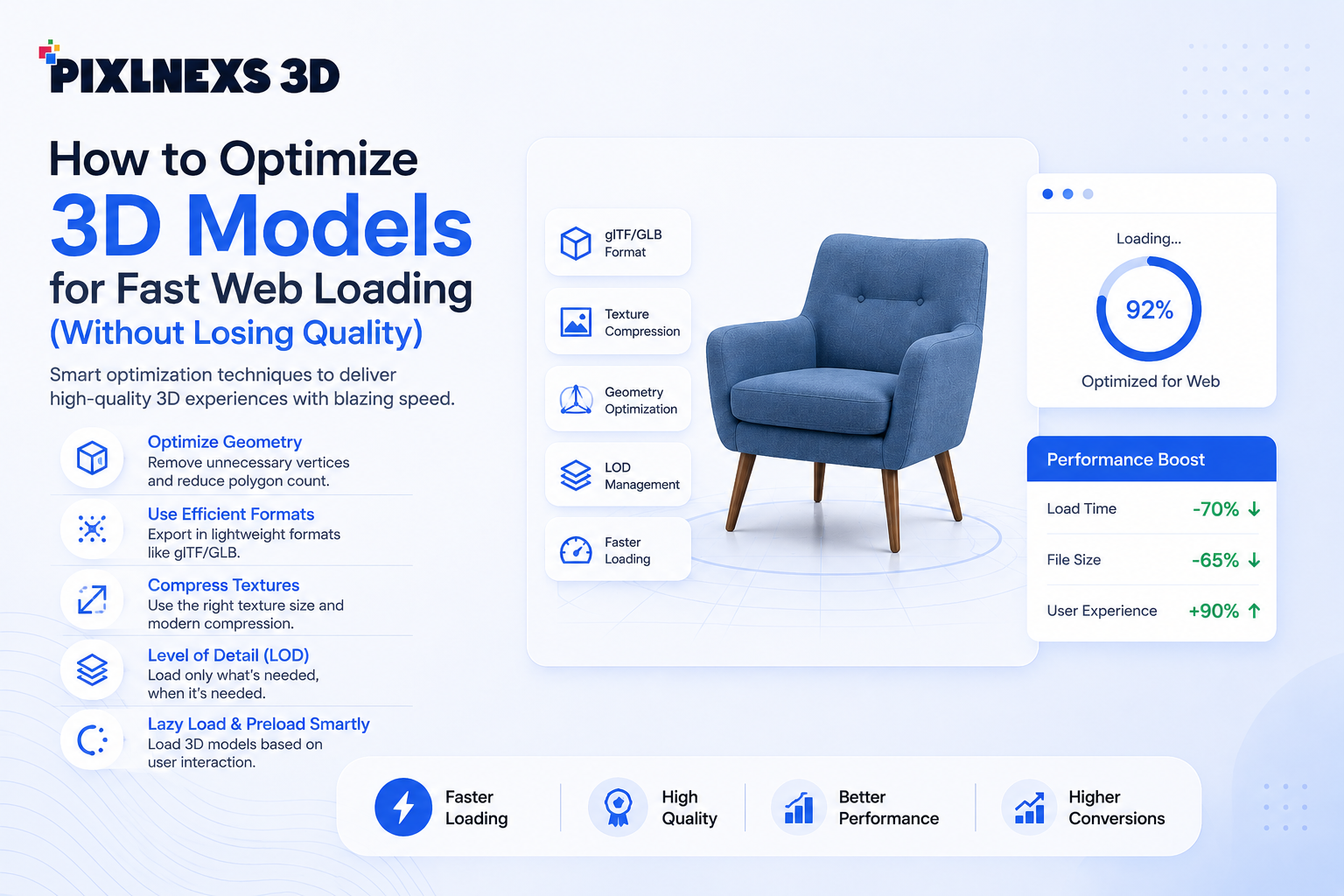
Optimizing 3D models for fast web loading involves reducing polygon counts, using efficient textures, and leveraging compression techniques. Focus on LOD (Level of Detail) adjustments, texture atlasing, and glTF/GLB formats to maintain quality while ensuring quicker load times.
3D interactive experiences are becoming increasingly common tools for online product presentations used by business organizations. They range from eCommerce sites and configurators to showrooms and AR experiences; and all are based on 3D models which allow users to have more immersive interactions and get more informative impressions.
But here is a problem: 3D model files tend to be quite heavy and thus affect website performance negatively.
While your 3D model will surely impress any user, it might take some time to load, and nobody would wait for several seconds just to see it; thus, loading times of such assets affect websites’ user experience, bounce rate and even SEO ratings.
That’s why it is crucial to know how to optimize 3D models to speed up their loading process.
The good thing is that you don’t have to sacrifice the quality of visuals in order to make your file smaller. Using certain methods, you can drastically improve the performance of your file and still have a very impressive visual effect.
Here you will find some ways to optimize your 3D model for web use.
Why 3D Model Optimization Matters

Most companies have spent many resources to create highly realistic 3D models. Yet even the best model becomes a burden if it makes your site load slowly.
1. Faster Page Load Times
Pages should load quickly for website visitors.
Studies prove that people get impatient when it takes pages a bit longer to open. Large 3D files use up a lot of bandwidth and computer resources, hence causing the increased time taken to load and leading to user dissatisfaction.
Well-optimized 3D models will load faster because there will be fewer unnecessary objects.
Advantages include:
- Faster rendering
- Reduced bandwidth consumption
- Improved page performance
- Better mobile experiences
The result is a smoother browsing experience that keeps users engaged.
2. Improved User Experience
It is evident that user experience is one of the key determinants of success for a website.
Picture yourself shopping on an online furniture store and having to wait for 10 seconds to view the products. No one will bother to wait.
When 3D models are optimized:
- Products appear quickly
- Interactions feel responsive
- Camera movements remain smooth
- Mobile users experience fewer performance issues
A fast and responsive experience encourages users to spend more time exploring products and increases the likelihood of conversion.
3. Better SEO Performance
Speed of the website is one of the most important ranking signals.
It is favorable to search engines if websites provide a great user experience. Slow loading
pages could influence the following aspects:
- Largest Contentful Paint (LCP)
- Interaction to Next Paint (INP)
- Page Speed
Large 3D assets could have a negative impact on performance scores.
Improving your models could help with increasing speed of your website and improving technical SEO.
4. Increased Conversion Rates
Time is money for eCommerce stores.
Research always proves that fast-loading sites provide more opportunities for improved engagement and conversions.
An optimized 3D visualization will allow customers to:
- Get the information quickly
- See 360 views easily
- Have a clear understanding of products
- Make a purchase confidently
The fast-loading 3D viewer might be your sales tool.
5. Better Mobile Performance
Mobile traffic continues to dominate many industries.
While desktop devices may handle large files relatively well, mobile devices often struggle with complex 3D assets.
Common mobile challenges include:
- Limited processing power
- Slower internet connections
- Reduced memory availability
- Battery consumption concerns
The process of optimization allows for users to be provided with the same quality of experience regardless of long loading time.
Common Reasons For Slow Loading Of 3D Models for web
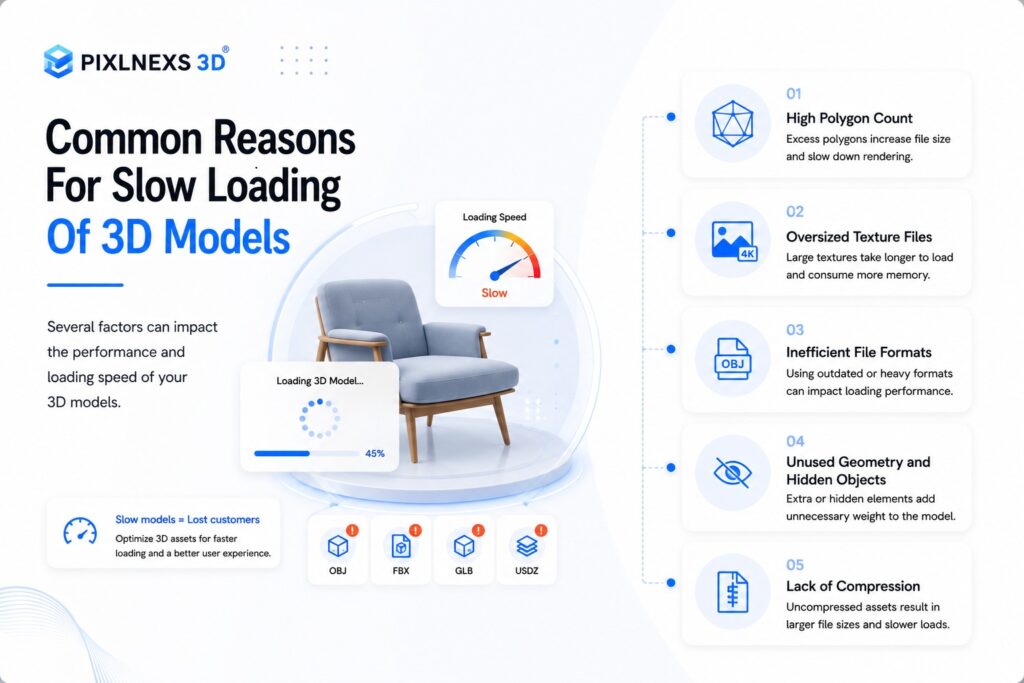
However, prior to considering optimization strategies, one should comprehend why there may be problems in the first place.
Often enough, it is not the problem with the model itself, but rather with its preparation for uploading on the Web.
High Polygon Count
A very common reason for slow loading speed is the high number of polygons in the model.
In order to create highly realistic images, artists create millions of polygons when using modeling software.
High polygon counts increase:
- File size
- Rendering complexity
- GPU workload
- Loading times
For web experiences, it’s essential to strike a balance between visual quality and performance.
Oversized Texture Files
Textures often contribute more to file size than the 3D geometry itself.
Many models use:
- 4K textures
- 8K textures
- Multiple material maps
- Large uncompressed image files
Although high-resolution textures can improve realism, they also consume significant bandwidth.
In many cases, users cannot visually distinguish between an optimized texture and an excessively large one.
Inefficient File Formats
Not all 3D file formats are designed for web delivery.
Formats commonly used during production may contain unnecessary data that increases file size.
Examples include:
- OBJ files
- FBX files
- CAD exports
- Raw design files
These formats are excellent for creation and editing but often inefficient for real-time web applications.
Choosing a web-friendly format can dramatically improve loading performance.
Lack of Compression
Many businesses upload 3D assets without applying any compression techniques.
As a result:
- Files remain unnecessarily large
- Download times increase
- User experience suffers
There are technologies nowadays which can reduce file sizes significantly while maintaining their quality.
In many cases optimization via compression proves to be one of the most impactful techniques.
10 Tips for Optimizing 3D Models for Fast Web Loading
We have discussed the importance of optimization and its problems. Now it’s time to move on to practical ways professionals use to develop quickly loading 3D models.
We don’t only care about reducing the size of our files but also about maintaining high-quality visualization and minimum loading times.
1. Reducing Polygon Count While Maintaining Quality
The number of polygons in 3D model plays an important role in its performance.
Each of these polygons consumes processor resources. For example, models designed for 3D modeling software require much more polygons than needed in order to load on the Internet.
Our task is to eliminate unnecessary polygons without changing the overall look of the model.
Best Practices
- Simplify complex mesh areas that aren’t highly visible.
- Remove tiny details that users won’t notice.
- Use retopology techniques to create cleaner geometry.
- Focus detail only where it matters most.
Example
A product model containing 500,000 polygons may look nearly identical after being reduced to 80,000–100,000 polygons, while loading significantly faster.
Benefits
- Smaller file sizes
- Faster rendering
- Better mobile performance
- Reduced GPU workload
2. Optimize Texture Resolution
Textures often account for the majority of a 3D model’s file size.
Many designers use extremely high-resolution textures by default, even when users cannot perceive the difference.
Common Mistake
Using 8K textures for products that appear only a few hundred pixels wide on screen.
Optimization Strategy
Choose texture resolutions based on actual viewing requirements:
| Use Case | Recommended Texture Size |
| Mobile Products | 512px–1024px |
| Standard Web Models | 1024px–2048px |
| Premium Product Configurators | 2048px–4096px |
Benefits
- Reduced download size
- Faster texture loading
- Lower memory consumption
Remember: larger textures don’t always create a better user experience.
3. Compress Textures Efficiently
After reducing texture resolution, the next step is compression.
Modern image compression formats can dramatically decrease file size while maintaining excellent visual quality.
Recommended Formats
- WebP
- AVIF
- Compressed JPEG
- KTX2 textures
Why It Matters
A texture set that originally consumes 20 MB may be reduced to 3–5 MB through proper compression techniques.
Benefits
- Faster downloads
- Lower bandwidth usage
- Improved loading speed
Texture compression is often one of the quickest optimization wins available
4. Use the glTF File Format
Choosing the right file format can significantly impact performance.
Today, glTF (GL Transmission Format) is considered the industry standard for web-based 3D experiences.
Why glTF?
Unlike formats such as OBJ or FBX, glTF is specifically designed for efficient transmission and rendering.
Advantages include:
- Smaller file sizes
- Faster parsing
- Better browser compatibility
- Optimized web delivery
Many developers refer to glTF as the “JPEG of 3D” because of its efficiency and widespread adoption.
Benefits
- Faster loading
- Better web performance
- Industry-standard workflow
If you’re still serving OBJ or FBX files directly to websites, switching to glTF can deliver immediate performance improvements.
5. Apply Draco Compression
Draco compression is one of the most powerful techniques available for reducing 3D file size.
Developed specifically for compressing 3D geometry, Draco significantly reduces mesh data while preserving visual fidelity.
How It Works
Draco compresses:
- Vertex positions
- Normals
- Texture coordinates
- Mesh connectivity
Real-World Impact
File size reductions of 50–90% are common.
For example:
| Asset | Original Size | Compressed Size |
| Product Viewer Model | 25 MB | 4 MB |
| Furniture Asset | 40 MB | 7 MB |
| Automotive Model | 80 MB | 12 MB |
Benefits
- Faster downloads
- Improved page speed
- Better mobile performance
For most web-based 3D applications, Draco compression should be considered a standard optimization step.
6. Remove Hidden Geometry
Many 3D models contain geometry that users never see.
Examples include:
- Internal mechanical components
- Hidden faces
- Duplicate surfaces
- Unused mesh sections
These elements increase file size without improving visual quality.
Optimization Strategy
Audit every model and remove:
- Invisible objects
- Interior surfaces
- Construction geometry
- Unused components
Example
A product model containing internal components may lose 30–50% of its geometry after cleanup without any visible changes.
Benefits
- Smaller files
- Faster rendering
- Reduced memory requirements
Removing hidden geometry is often one of the simplest optimization opportunities.
7. Bake Details Into Normal Maps
High-detail models often contain millions of polygons.
Instead of displaying all that geometry, professionals commonly bake detail into texture maps.
What Is Normal Mapping?
Normal maps simulate surface details using textures rather than actual geometry.
Users perceive:
- Scratches
- Grooves
- Small bevels
- Surface imperfections
Without requiring additional polygons.
Example
Instead of modeling hundreds of tiny screws, bolts, or grooves, these details can be represented through normal maps.
Benefits
- Massive polygon reduction
- Preserved visual quality
- Faster rendering
This technique is widely used in games, AR applications, and eCommerce product visualization.
8. Implement Level of Detail (LOD)
Not every user views a model from the same distance.
When a product appears far away, displaying the highest-quality version wastes resources
.
What Is LOD?
Level of Detail systems automatically switch between model versions based on distance.
Example:
| Distane | Model Version |
| Close | High Detail |
| Medium | Medium Detail |
| Far | Low Detail |
Benefits
- Improved rendering efficiency
- Better frame rates
- Reduced GPU load
LOD systems are particularly useful for:
- Virtual showrooms
- Interactive environments
- Large product catalogs
9. Optimize Materials and Shaders
Complex materials can significantly impact rendering performance.
Many models use advanced shader effects that are unnecessary for web applications.
Common Issues
- Excessive material layers
- Multiple transparency effects
- Complex reflections
- Expensive shader calculations
Optimization Strategy
- Merge materials where possible.
- Reduce shader complexity.
- Limit transparency effects.
- Simplify reflection calculations.
Benefits
- Faster rendering
- Improved responsiveness
- Better mobile compatibility
Efficient materials help maintain smooth interactions across a wider range of devices.
10. Enable Lazy Loading
Not every 3D model needs to load immediately when a page opens.
Lazy loading delays asset downloads until they are actually needed.
Example
Instead of loading every product viewer at page load:
- Load only visible content first.
- Load 3D assets when users scroll to them.
- Load high-resolution assets after initial interaction.
Benefits
- Faster initial page load
- Improved Core Web Vitals
- Better user experience
Lazy loading is of extreme importance for eCommerce websites where there are multiple interactive products.
Professional Tools to Optimize 3D Models
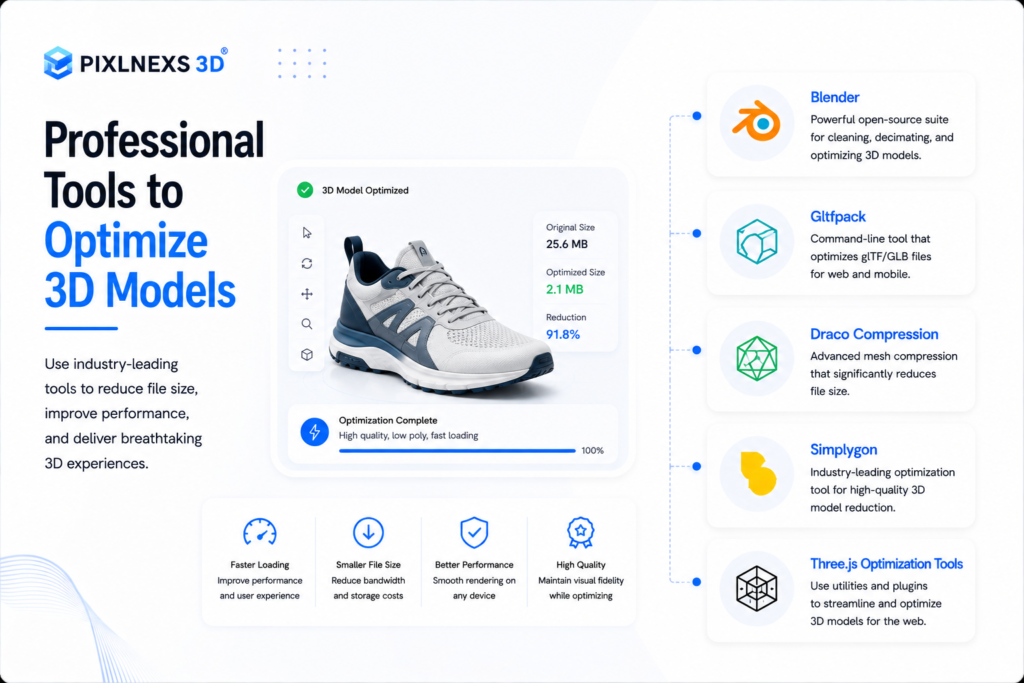
Manual optimization of 3D models requires a lot of time, especially when you are working on large catalogs of products or dealing with complicated objects. Luckily, there are some professional tools that will help with that.
Blender
Blender is one of the most popular free 3D creation tools available today.
Key optimization features include:
- Mesh decimation
- Retopology tools
- UV optimization
- Texture baking
- Geometry cleanup
Blender is an excellent choice for businesses and creators looking for a cost-effective optimization workflow.
Gltfpack
gltfpack is designed specifically for optimizing glTF files.
It can:
- Reduce file sizes
- Simplify geometry
- Compress textures
- Optimize asset structure
For web-based projects, gltfpack often delivers substantial performance improvements with minimal effort.
Draco Compression
Draco has become an industry-standard solution for geometry compression.
Benefits include:
- Significant file size reduction
- Faster downloads
- Better mobile performance
- Preservation of visual quality
Many modern 3D viewers and web frameworks support Draco-compressed assets.
Simplygon
Simplygon is a professional optimization platform widely used in gaming, visualization and enterprise applications.
It offers:
- Automatic LOD generation
- Mesh simplification
- Texture optimization
- Batch processing capabilities
For large-scale projects, Simplygon can save considerable development time.
Three.js Optimization Tools
When using Three.js for web based 3D experiences several optimization utilities are available to improve rendering efficiency and loading speed.
Popular techniques include:
- Lazy loading
- Asset streaming
- Geometry instancing
- Efficient material management
Combining optimized assets with an optimized rendering pipeline delivers the best results.
Real World Case Study: Optimizing an eCommerce Furniture Model
To understand the impact of optimization, lets examine a real world scenarios.
The Challenge
An online furniture retailer wanted to showcase a premium sofa using an interactive 3D viewer.
The original asset contained:
- 650,000 polygons
- Multiple 4K textures
- Uncompressed geometry
- FBX file format
The result was a model size of approximately 52 MB.
Users experienced:
- Long loading times
- Slow interactions
- Poor mobile performance
- High bounce rates
Optimization Process
The development team implemented several improvements:
Geometry Optimization
- Reduced polygons by approximately 75%
- Removed hidden geometry
- Improved mesh topology
Texture Optimization
- Converted textures to WebP
- Reduced unnecessary texture resolution
- Combined multiple texture maps
File Format Conversion
- Converted FBX to glTF
- Applied Draco compression
Loading Improvements
- Implemented lazy loading
- Added progressive asset loading
Results
| Metric | Before | After |
| File Size | 52 MB | 8.5 MB |
| Load Time | 9.1 sec | 2.4 sec |
| Mobile Performance Score | 46 | 88 |
| User Engagement | Moderate | Significantly Improved |
Significantly Improved
The retailer managed to get faster loading time, higher engagement rate, and better experience while browsing through the products.
This proves the significance of optimization and its effects on performance.
Conclusion
3D interactivity becoming ever more important for eCommerce purposes and product visualization, it is absolutely crucial to optimize 3D models for fast web loading in order to provide an outstanding user experience. Unoptimized and bulky assets will not only be a factor affecting website loading time, but they will also cause higher bounce rates and will have a negative effect on SEO and conversions.
However, using methods like polygon reduction, texture optimization, conversion into glTF format, Draco compression, LOD technique, and lazy loading will help you achieve much better results by ensuring fast loading times and great visual experience at the same time. At Pixlnex, we help brands unleash the power of 3D visualization with top-performing and web-optimized 3D models and solutions.
From 3D product modeling and rendering, to interactive product configurators and optimized web experiences, we create visually appealing assets that will be loading quickly and working flawlessly.
In case you have an eCommerce website that demands 3D product visualization in great numbers or just wish to interact with your customers using interactive solutions, you are welcome to find out what Pixlnex can offer.
Want to build high-performance 3D visuals for your website quickly? Then contact Pixlnex now and learn how our 3D visualization experience can help you achieve your goals.









Leave a Reply