
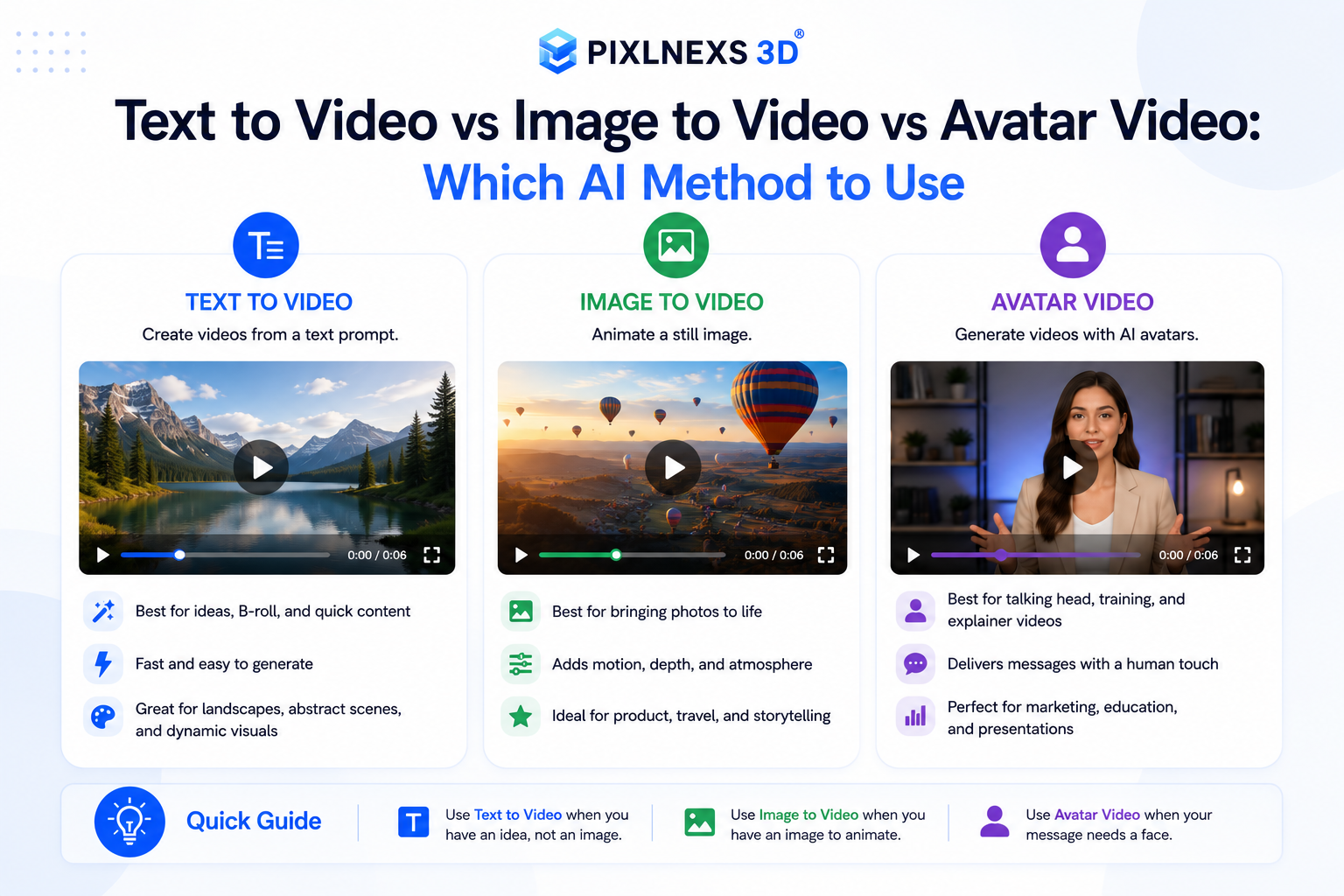
Quick answer: The difference between text to video vs image to video comes down to how much visual control you hand to the model. Text to video generates motion from a written prompt alone, so it is fastest for ideation but least predictable. Image to video animates a still you already control, so it keeps your composition, brand and likeness consistent. Avatar video is a specialized lane built for a talking presenter: a person (or AI face) delivering scripted speech with lip-sync. Use text to video for concepts and b-roll, image to video when the look must stay on-brand and avatar video whenever a human is speaking to camera.
By the Pixlnexs Animation Studio team, we produce AI video and 3D content and run the marketplace at store.pixlnexs.com, so this reflects real production experience.
Every week a client asks us the same thing. “Should I type a prompt, upload an image or use an AI presenter?” They are really asking three different questions about control, consistency and the kind of shot they need. This guide breaks down all three AI video methods the way we actually choose between them on real jobs, not as a feature list but as a decision you can make in under a minute.
The three AI video methods, defined
Text-to-video: motion from a prompt
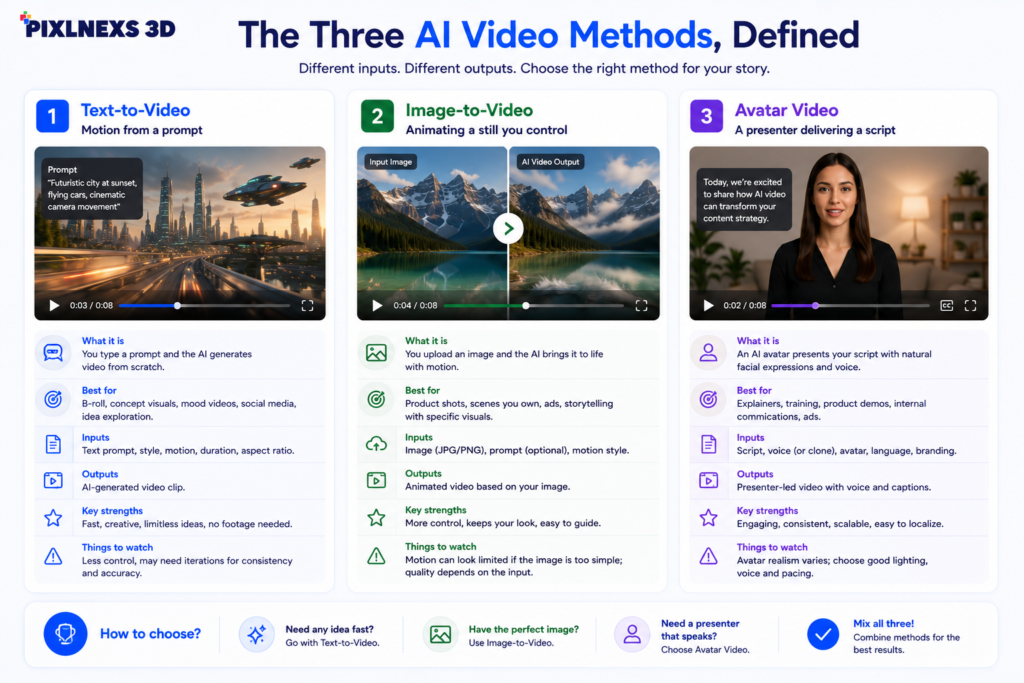
Text to video takes a written description (“a drone shot gliding over a misty pine forest at dawn”) and synthesises a clip frame by frame. You give it words; it invents everything visual. This is the most magical and the most unpredictable of the three. You get camera moves, lighting and subjects you never had to film but you also surrender control. The same prompt run twice gives two different results and getting an exact composition can take many attempts. It is the right tool when you do not yet have a visual, when you need b-roll or establishing shots or when you are exploring a concept before committing.
Image-to-video: animating a still you control
Image to video starts from a picture you supply: a product photo, a character render, a brand keyframe, a 3D model export and adds motion. Because the first frame is fixed, you keep your composition, colours, logo placement and likeness intact. The model’s job shrinks from “imagine everything” to “make this move plausibly,” which is a far more controllable task. This is our default for anything where the look matters, whether that is product reveals, branded social clips, animating a marketplace asset or turning a single hero illustration into a moving piece.
Avatar video: a presenter delivering a script
Avatar video is purpose built for one job: a talking head saying words. You supply a script (and often a voice and a face) and the system produces a presenter who lip syncs the audio. Some tools use a library of stock avatars; others clone a real person from a short recording. Unlike the other two methods, the value is not cinematic motion. It is scalable, on message speech. It shines for training modules, explainers, multilingual versions of the same message and personalised outreach, where re-recording a human for every variant would be impossible.
Side-by-side comparison
| Dimension | Text-to-Video | Image-to-Video | Avatar Video |
|---|---|---|---|
| Primary input | Written prompt | A still image | Script + voice + face |
| Control over look | Low, model invents it | High, you fix frame one | Medium, framing is fixed, motion limited |
| Brand / likeness consistency | Hard to hold | Strongest | Strong for the presenter |
| Best clip length | Short (a few seconds) | Short to medium | Long (full scripts) |
| Iteration cost | High, re-roll the lottery | Lower, same start frame | Low, just edit the script |
| Ideal for | Concepts, b-roll, cinematics | Product, branded social, 3D assets | Training, explainers, localisation |
| Main weakness | Unpredictable, hard to direct | Motion drifts on complex scenes | Gestures can feel stiff |
How to choose: a decision framework
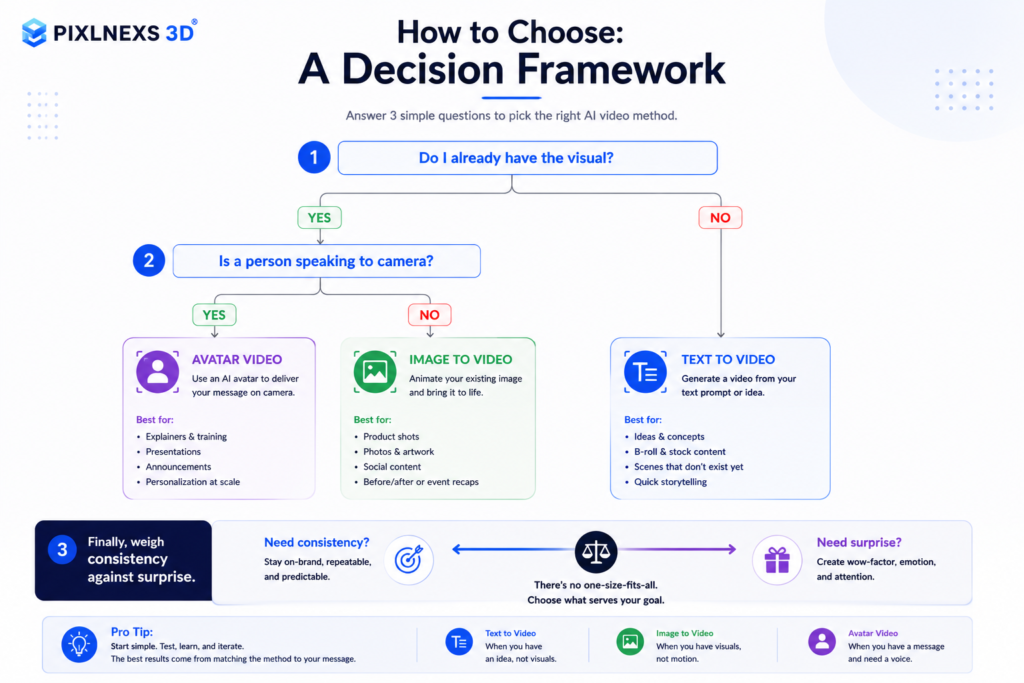
Start with the question “do I already have the visual?”
This single question splits the field. If you have a photo, render, logo lockup, or any image that must appear as-is, choose image-to-video. It is the only method that guarantees your starting frame survives. If you have nothing visual yet and you are describing something that does not exist, text-to-video is your fastest path to a first look.
Then ask “is a person speaking to camera?”
If the core of the video is someone talking, whether explaining, teaching or selling, avatar video almost always wins, because lip sync and clear speech matter more than cinematic camera work. Trying to force a talking head out of text to video usually produces uncanny mouth movement. Trying to make an avatar tool produce a sweeping drone shot is equally pointless. Match the tool to the shot.
Finally, weigh consistency against surprise
Text to video rewards you with shots you could never afford to film, at the cost of control. Image to video and avatar video reward you with repeatability. On brand work, repeatability usually wins. On a mood film or a creative pitch, the surprise of text to video is the point. There is no single best method, only the best fit for this shot.
How they combine in a real workflow
In practice we rarely pick just one. A typical branded piece might use text to video for atmospheric b-roll, image to video to animate the product hero and any 3D assets we have exported and an avatar segment for the spokesperson voiceover, all cut together in a normal editor. The methods are layers, not rivals. A strong AI video almost always blends generated b-roll with controlled, on-brand keyframes and that is exactly the approach we lay out in our complete script-to-screen workflow guide.
This is also where a 3D pipeline gives image to video an unfair advantage. When you start from a clean 3D render (a product, a character, an environment) you control the exact angle, lighting and framing before a single frame of motion is generated. One thing we have learned the hard way: lock that render before you start animating. Re-export the model halfway through because a client wants a different angle and you throw away every motion test you already paid for. You can browse production ready models for that purpose on the marketplace at store.pixlnexs.com, then animate the export with image-to-video for a result that stays perfectly on-brand.
Quality, cost and the honest trade-offs
A few realities worth stating plainly, because precise numbers vary widely by tool, resolution, and plan. Text-to-video tends to consume the most credits per usable second, simply because you discard more failed generations before you land the shot. Here is what that actually feels like at the desk: you run a prompt, get a clip where the subject morphs an extra finger, tweak two words, run it again, and you have burned three generations before a single keeper.
Image-to-video is usually more credit-efficient per keeper, since your fixed start frame cuts down re-rolls. Avatar video is typically priced by minutes of finished speech rather than by attempt, which makes it the most predictable to budget for long-form content. We avoid quoting exact per-second prices here because they change constantly and differ across platforms. Check current pricing on the tool you actually use, and compare options in our 2026 AI video tool showdown.
On quality, all three methods have improved dramatically, but each still has a signature failure mode. Text-to-video can struggle with object permanence and fine text. Image-to-video can introduce motion drift or warping when the source scene is busy. Avatar video can read as slightly stiff in gesture and emotion. Knowing each method’s weak spot is how you direct around it. For a broader look at where AI video does and does not yet replace a camera crew, see our breakdown of AI video versus traditional production. The underlying generative diffusion techniques behind all three are well documented on Wikipedia’s overview of text-to-video models, and accessibility best practices for any video you publish are covered by the W3C Web Accessibility Initiative.
Conclusion
Choosing between text to video, image to video and AI avatar video isn’t about finding the “best” AI video technology it’s about selecting the right tool for the job. Text to video is ideal for generating new ideas and cinematic b-roll, image to video gives you the greatest control over branding and visual consistency and avatar videos excel when your message depends on a presenter speaking directly to the audience.
Production of videos in the real world doesn’t always depend upon using just one approach. There is the combination of several AI pipelines along with professional editing, motion graphics, and visuals that ensure the creation of quality videos and keep the brand’s consistency. And this is when the use of AI becomes really useful because it helps to create better content faster, but not to replace creativity.
At Pixlnexs, we facilitate the integration of these technologies into one production pipeline for companies. If there is a need for creating AI generated b-roll, animated visuals of products, talking heads’ videos or 3D objects that will be used in different marketing campaigns our team will help to create production ready content.
Frequently asked questions
Related guides
- AI Video & 3D Content Hub, Pixlnexs Animation Studio
- How to Make an AI Video in 2026: The Complete Script-to-Screen Workflow
- Runway vs Sora vs Veo vs Pika: The 2026 AI Video Tool Showdown
- AI Video vs Traditional Video Production: Cost, Speed and Quality Compared
- Best Free AI Video Generators (and the Hidden Limits You Hit Fast)








Leave a Reply