
Category: 3D Models
-
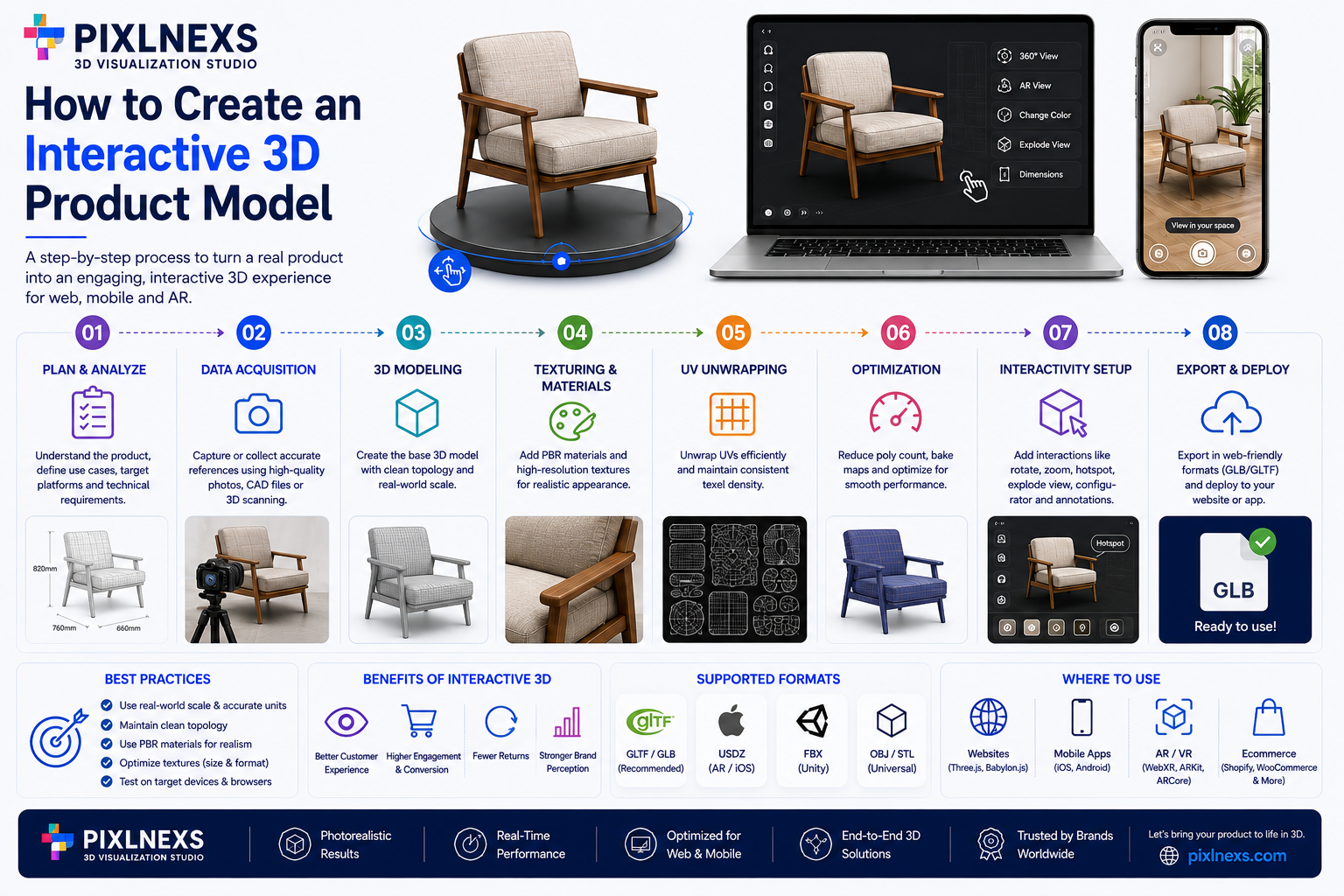
How to Create an Interactive 3D Product Model
Quick Answer: How to create interactive 3D product model is a real-time, rotatable digital replica of your product that shoppers can spin, zoom and view in their own space through AR and creating one follows a repeatable pipeline: capture or model the geometry, texture it, optimize it for the web, then embed and test it…
-
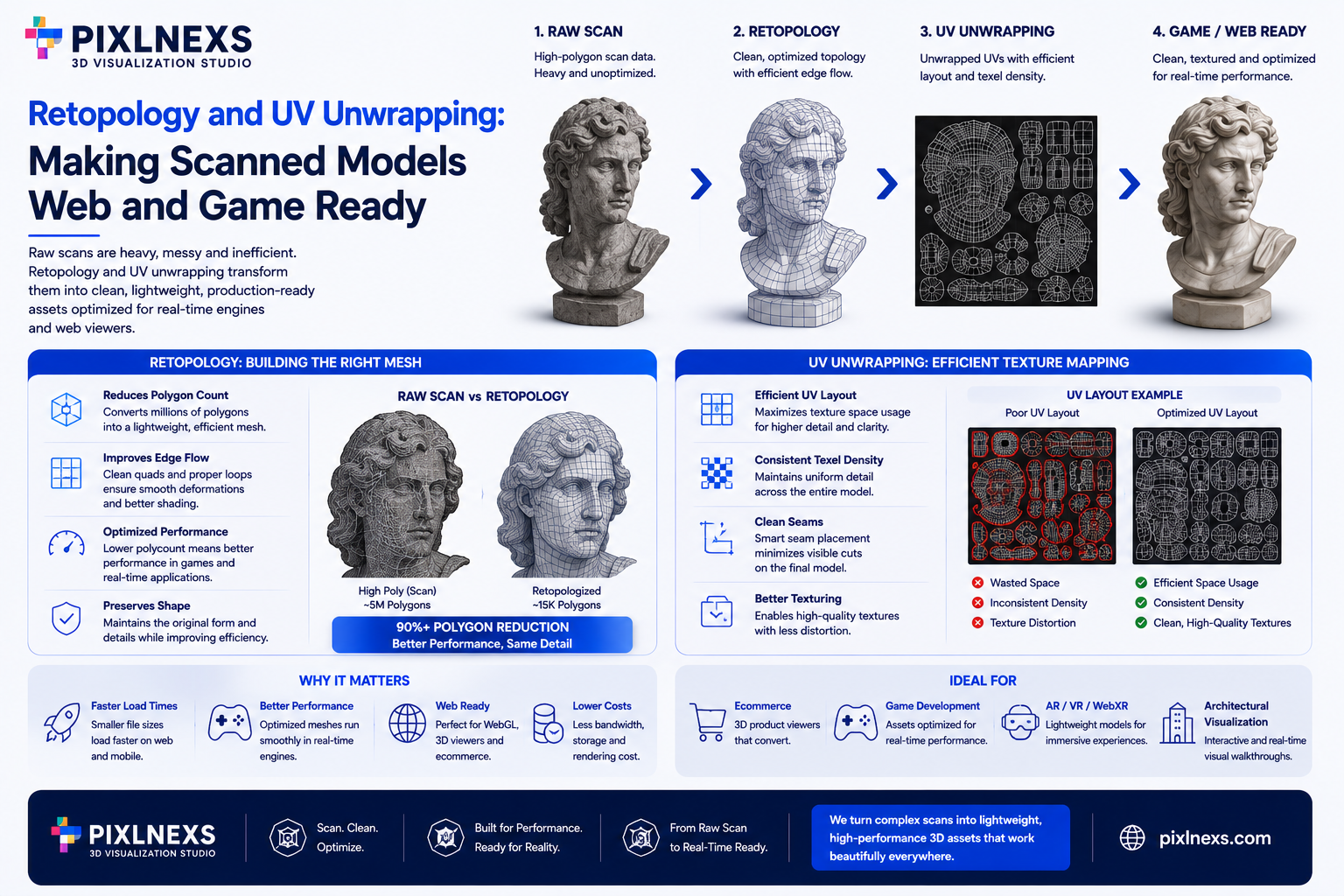
Retopology and UV Unwrapping: Making Scanned Models Web and Game Ready
Master retopology & UV unwrapping for 3D scanned models. Optimize for web & games with Pixlnexs’ expert techniques.
-
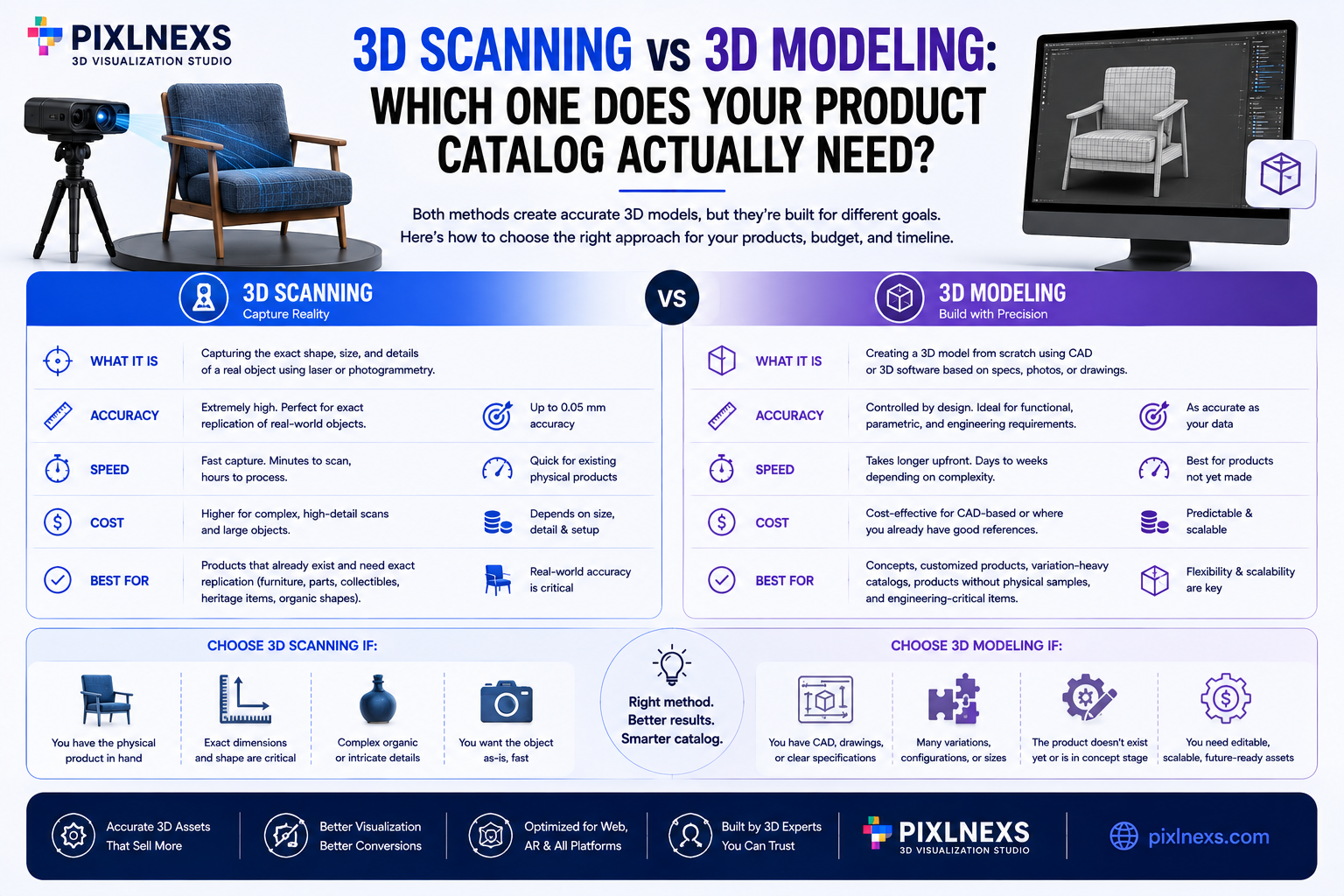
3D Scanning vs 3D Modeling: Which One Does Your Product Catalog Actually Need?
Explore 3D scanning & modeling for ecommerce. Pixlnexs helps choose the right 3D tech for your product catalog.
-
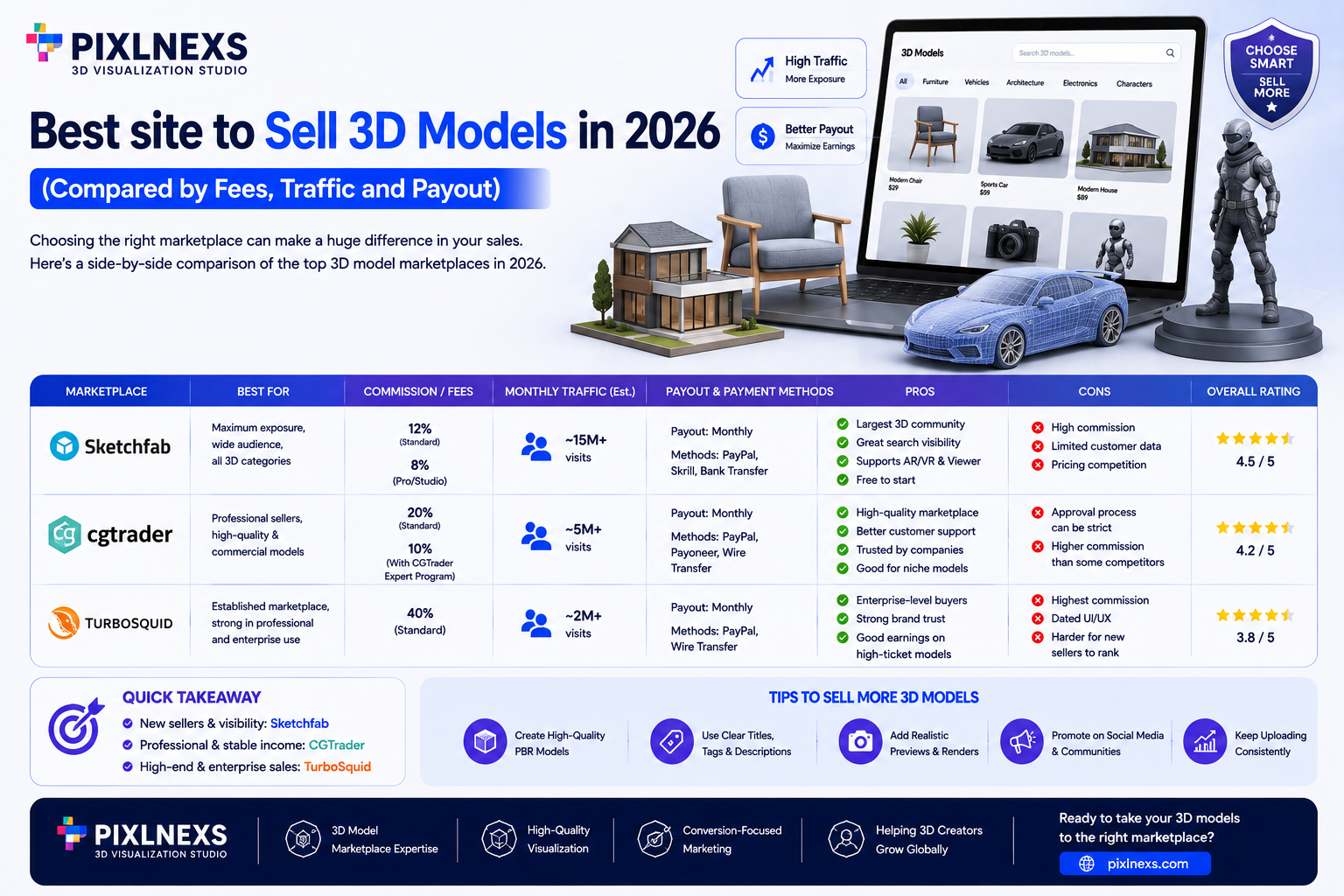
Best Sites to Sell 3D Models in 2026 (Fees, Traffic, Payout Compared)
Discover the best 3D model marketplaces in 2026. Compare fees, traffic, and payouts to maximize your sales. Ideal for 3D artists and studios.
-
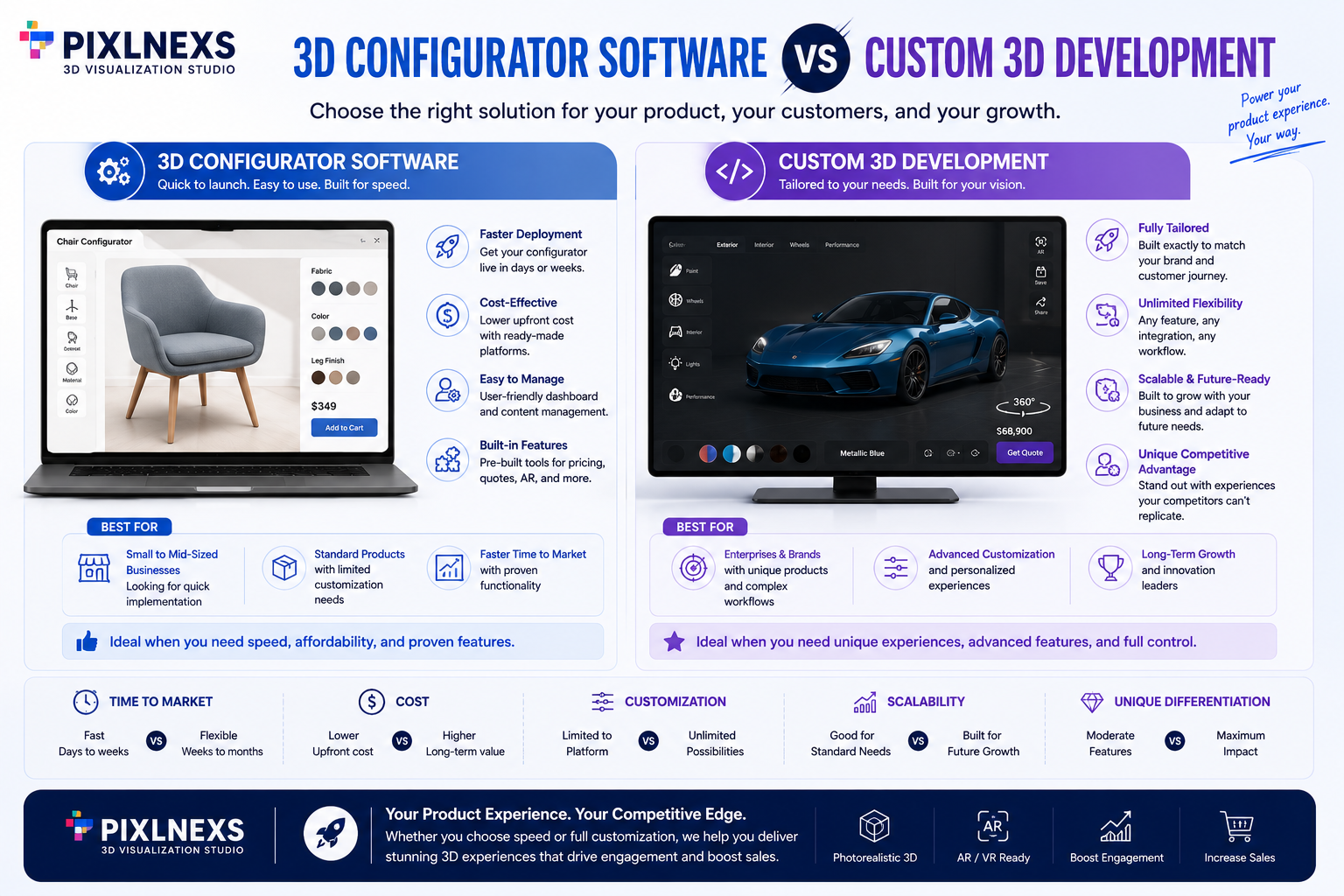
3D Configurator Software vs Custom 3D Development | Guide in 2026
Quick Answer:Choosing between 3D configurator software vs custom 3D development comes down to one honest question: do you need a fast, proven path to a working product configurator or do you need a bespoke experience that no template can match? Both routes get you to interactive, customizable 3D products on your store. They just trade…
-
3D Product Configurator: How It Works and What It Costs (And Why It Boosts Conversions)
How 3D product configurators lift ecommerce conversions, how they work under the hood, and what they really cost — from SaaS plug-ins to custom builds.
-
How Much Does 3D Animation Cost? A 2026 Pricing Breakdown
A 2026 breakdown of 3D animation cost by type, the hidden factors that move a quote, an honest freelancer vs studio comparison, and how to get an accurate price.
-
AI Product Videos for Ecommerce: Turn 3D Models Into Selling Reels
Turn 3D product models into AI-driven ecommerce reels: 360 spins, animated demos, and UGC ads. The full production workflow, formats, and cost tradeoffs.
-

Best 3D Character Models for Games, AR/VR & Animation: A Buyer Guide
How to choose 3D character models — topology, rigging, blendshapes, PBR, poly budget, format and licensing — for games, AR/VR and animation.
-
Game-Ready 3D Assets: Where to Find Optimized Models for Your Engine
Where to find game-ready 3D assets: an honest comparison of marketplaces, free libraries, and studios, plus a vetting checklist for topology, LODs, and licensing.